
|
Work Order Invoicing/ReviewThis Help File Page was last Modified on 04/19/2017 |


|
|
Work Order Invoicing/ReviewThis Help File Page was last Modified on 04/19/2017 |
 Scroll to Top of Page
 Print Topic
 Email Feedback
 Show/Hide Expanders
❑This multipurpose Work Order Invoicing/Review Form allows you to "finish-up" all the loose ends related to Work Orders (Service Requests) that accumulate throughout the day and week in a Service Department.
•To open the Work Order Invoicing/Review Form:
a)From the Backstage Menu System Select File and Choose Receivable and Select the Work Order Completion/Review option, or
b)From the Quick Access Menu, Select File and Choose Receivable and Select the Work Order Completion/Review option
•The Work Order Invoicing/Review Form will open.
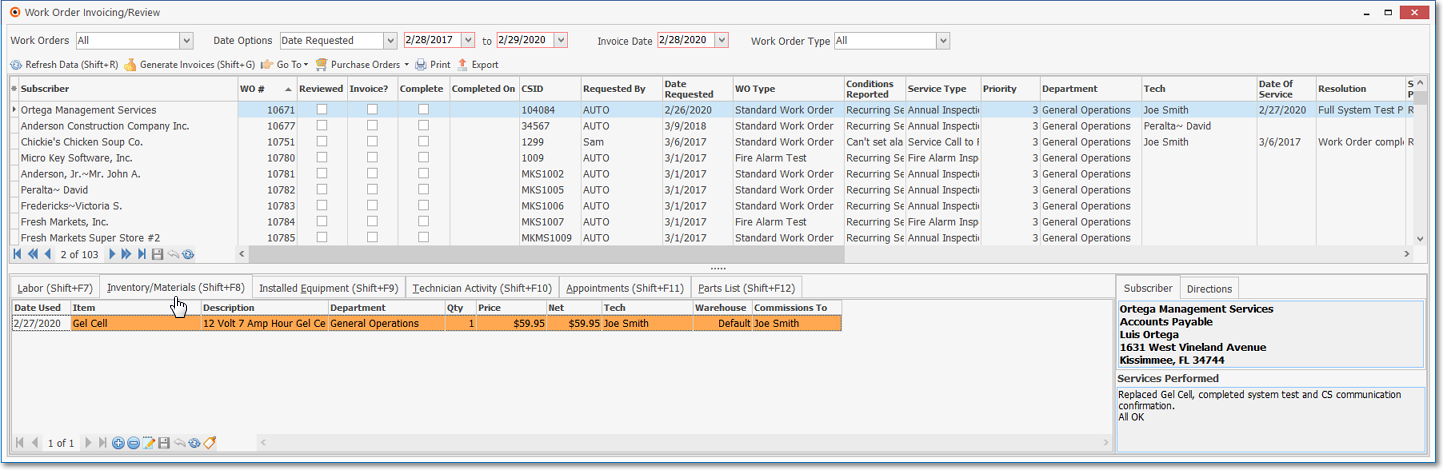
Work Order Invoicing/Review Form - Edit Inventory/Materials dialog
•On the Work Order Invoicing/Review Form the User may:
✓Set the Options by which Work Orders will be displayed for review.
✓Review these Work Orders based on a Date Range of your choosing.
✓Enter Technician's Labor on the Work Orders.
✓Enter Inventory and other expenses that was required for the Work Orders.
✓Complete any missing information, as needed to finalize the Work Orders.
✓Generate Invoices for Work Orders that are Completed.
❖See the Work Order Invoicing/Review and related chapters for detailed information about this form.