
|
Credit Card Surcharge SetupThis Help File Page was last Modified on 10/06/2022 |


|
|
Credit Card Surcharge SetupThis Help File Page was last Modified on 10/06/2022 |
 Scroll to Top of Page
 Print Topic
 Email Feedback
 Show/Hide Expanders
❑A Credit Card Surcharge may be assessed on designated Subscriber Payments which are made using their Credit Card,
•This Surcharge Setup wizard puts in place your Company's decision to assess a Credit Card Surcharge.
✓Those Surcharges are assessed as a percentage of the Amount being charged on the Credit Card
✓That Surcharge Amount charged to the Subscriber's Credit Card is in addition to the Amount needed to pay the Balance Due on an Invoice
❑Credit Card Surcharge preparation procedures:
1.General Ledger Account - For General Ledger System Users only, enter the Account that will be used to track and report Credit Card Surcharge revenue
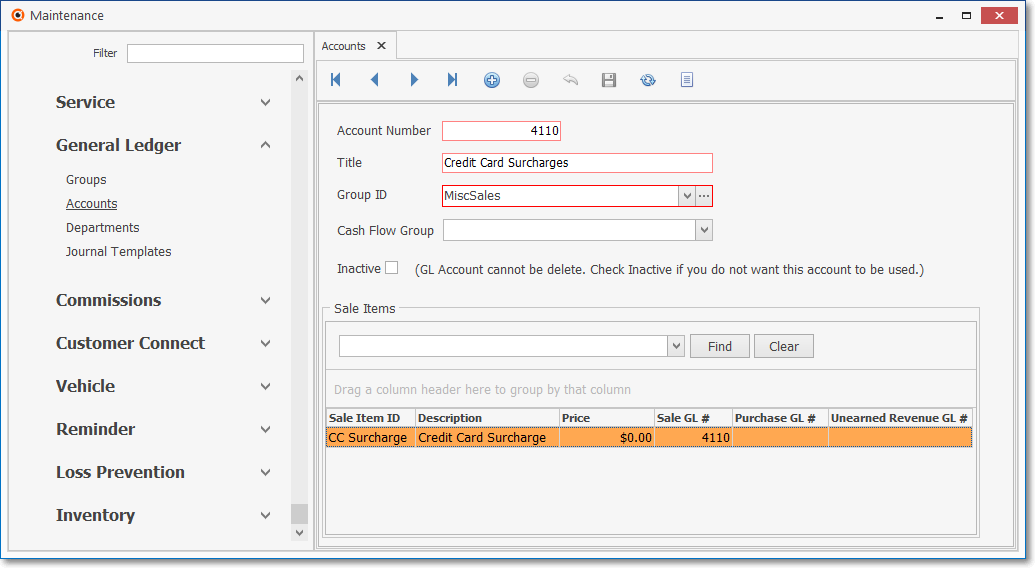
General Ledger System - Accounts Form - Credit Card Surcharge entry
2.Sale-Purchase Item - Enter the Sale Item that will be used to track and report Credit Card Surcharge revenue
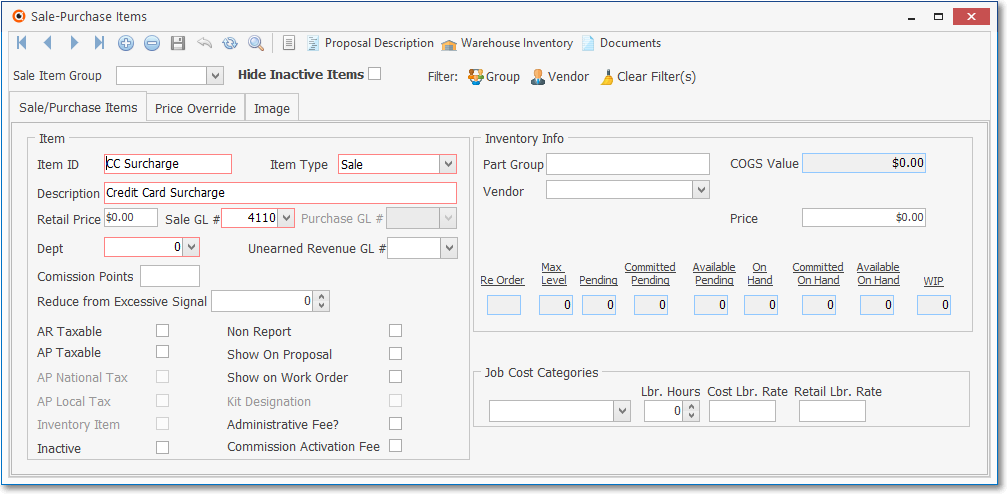
Sale-Purchase Items Form - Credit Card Surcharge entry
3.The Payment Method Types Form offers a Credit Card Surcharge % field in which the actual Surcharge % Rate may be specified, when appropriate
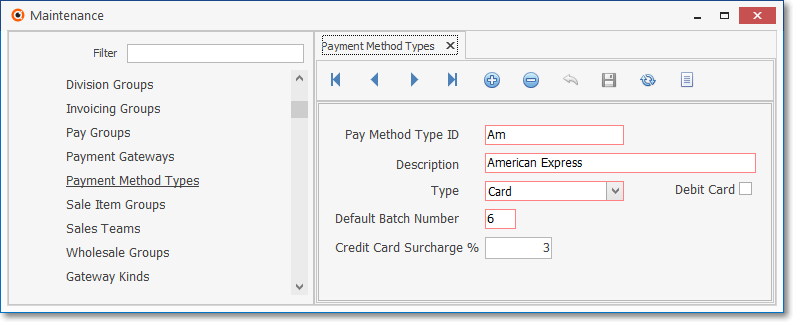
Payment Method Types Form - Credit Card Surcharge % field
✓Credit Card Surcharge % - Once the Company Settings related to the Credit Card Surcharge have been properly entered, this Credit Card Surcharge % field will be available and is used to the enter the actual Surcharge % Rate, when appropriate.
4.The States Form is used to identify which of the United States and its Territories are and are not permitted to actually assess a Credit Card Surcharge
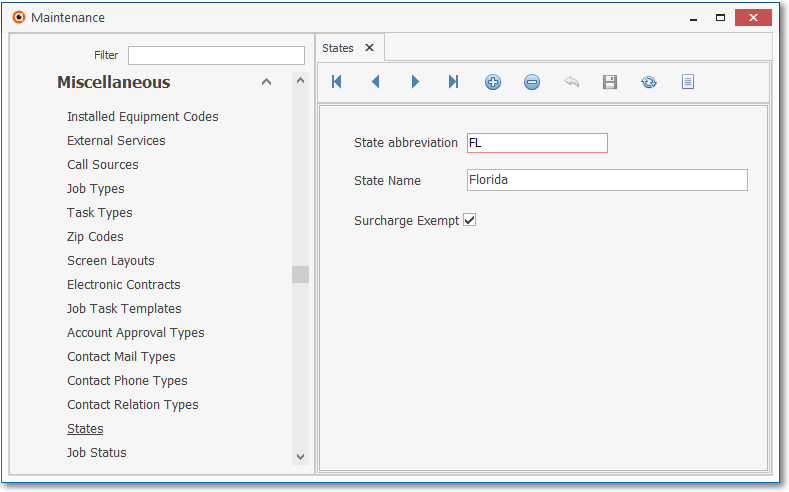
States Form - Surcharge Exempt State
5.Run the Surcharge Setup wizard -
▪The related Company Settings for the Credit Card Surcharge will be updated automatically when the Surcharge Setup wizard has been executed
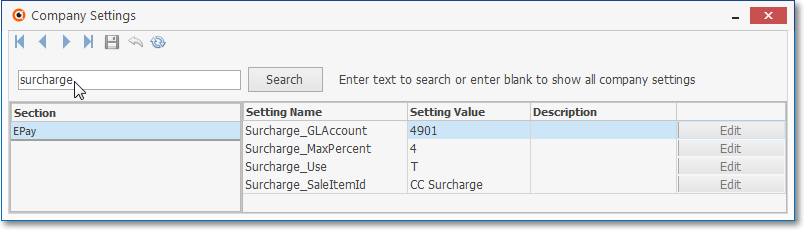
Company Settings - Surcharge related settings
a.Surcharge_Use - Set theTrue/False setting to indicate whether (or not) a Credit Card Surcharge may be assessed
b.Surcharge_SaleItemID - Enter the Sales-Purchase Item that should used when creating Credit Card Surcharge transactions
c.Surcharge_GLAccount - Enter General Ledger Account that should be used when creating transactions related to Credit Card Surcharge
d.Surcharge_MaxPercent - Set the maximum percentage allowed when entering the Surcharge percentage rate for each Credit Card type
•E-Payments - Once the steps 1. - 5. have been completed, when the E-Payments Form is used to pay an Invoice, for those States where a Surcharge may be assessed, the E-Payments Form will have some additional fields:
a.Use Surcharge if applies - This box will be Checked automatically if the Subscriber is within a State where a Surcharge may be assessed, but that Check may be removed.
b.Total Amount - This is the sum of the Surcharge plus the Balance Due on the Invoice being paid.
c.Amount - This is the net Balance Due on the Invoice being paid, not including any Surcharge.
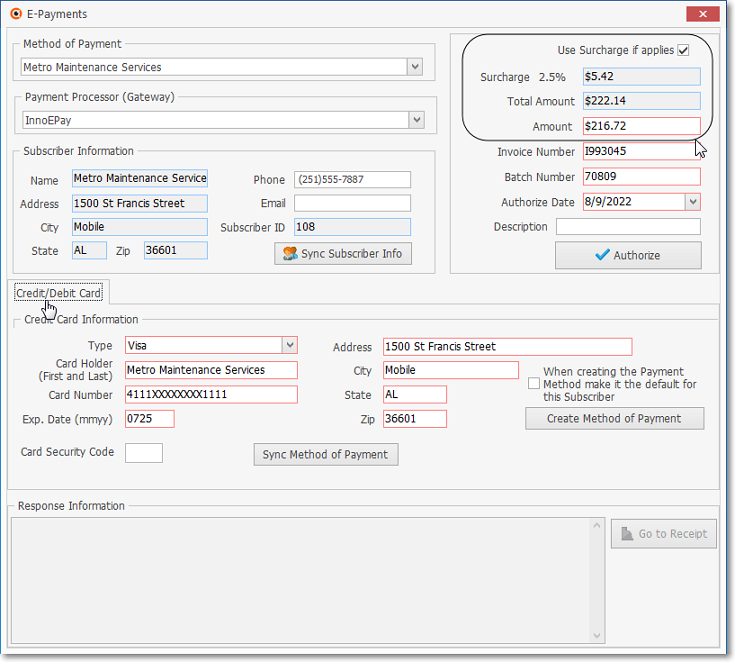
E-Payments Form - Surcharge related fields are circled
❖Fully Automated Recurring Billing - When a Credit Card Surcharge is in effect within the Subscriber's State in which a Recurring Revenue Invoice is generated, any of those Invoices that are automatically Paid using a Payment Gateway to execute Credit Card Payments will be assess the associated Credit Card Surcharge.