
|
Verify AddressThis Help File Page was last Modified on 05/15/2022 |


|
|
Verify AddressThis Help File Page was last Modified on 05/15/2022 |
 Scroll to Top of Page
 Print Topic
 Email Feedback
 Show/Hide Expanders
❑The Verify Address option will execute an Address Validation process - that will be performed by the United States Postal Service ("USPS") - for the currently selected Subscriber.
•This process requires that your Company registers for this service from the USPS.
•To access the Verify Address feature:
✓Open the Subscribers Form.
✓Retrieve (F2 Search) the appropriate Subscriber record.
✓Select the Edit View option on the Subscriber Form
✓Choose the Subscriber tab.
❑Using the Address Verification feature:
•Enter the Subscriber's Name and Address within the Edit View of the Subscribers Form
•Click the Save Icon on the Edit View Menu to record the information

Edit View - Subscriber Tab - Ribbon Menu - Verify Address Icon
•Click the Verify Address option on the Ribbon Menu.of the Subscriber tab
✓After a short pause, a Confirm box will be displayed with the suggested (revised, as needed) Address information
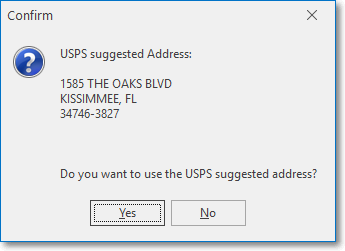
USPS suggested address
✓Yes - Click Yes to update the Subscriber's Address as presented
▪Once updated, the Verified box within the Edit View of the Subscribers Form will by Checked
✓No - Click No to ignore this information
❑To implement this Verify Address feature your Company must register with the United States Postal Service ("USPS").
•To do so, open a Web Browser and go to the http://www.usps.com/webtools site.
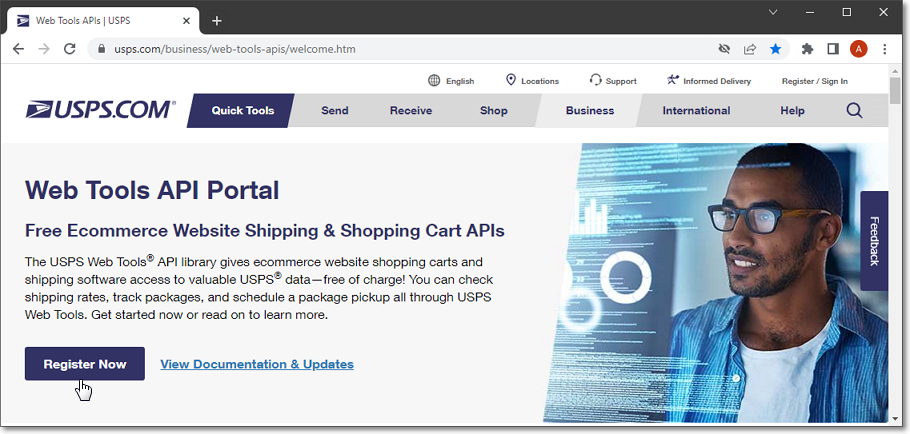
•Register Now - Click on this option and enter the requested Registration for USPS Web Tools information for their APIs.
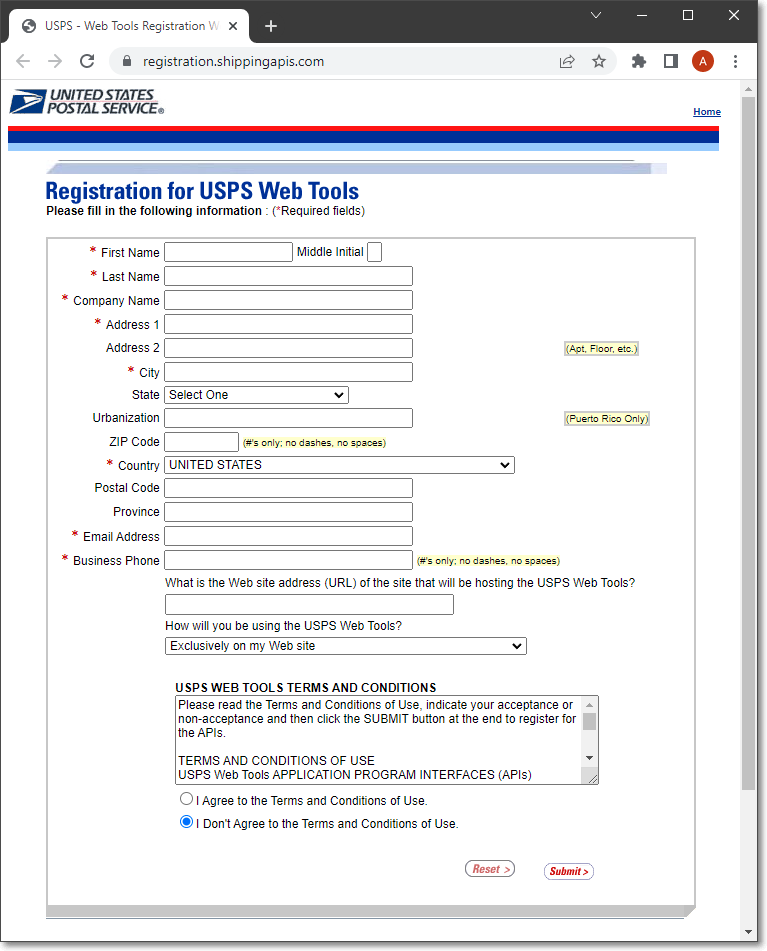
Registration for USPS Web Tools screen
•Submit - When completed, Click the Submit option.
✓Once this information is submitted, you will receive am Email with your Company's unique Web Tools User ID.
❑Add/Update the Verify Address information in MKMS:
1.Sign up for this Service as described above.
2.In Company Setting:
a.Update these USPSUSERID setting with the appropriate information
b.Verify the USPSURL setting
c.USPS_Active must also be set to True ("T").

Company Settings - USPS options - USPSUSERID and USPSURL